Digitization
Technology

What if the fastest way to fix your PDFs is also the easiest way to fail an audit?
AI driven tools are everywhere right now, promising instant fixes for accessibility at a fraction of the time and cost. For teams working toward the ADA Title II deadline in 2026, that promise is hard to ignore.
But when you look a little closer, the story changes. A recent report by The Verge found that even the most advanced AI tools still trip up on PDFs. The problem is simple. PDFs were made for people to read, not for machines to figure out. Add tables, footnotes, multi column layouts, or scanned pages, and things start to go off track. Content gets shuffled, reading order breaks, and some information just gets lost along the way.
This blog explores the real limits of AI PDF remediation and why a practical approach is key to reliable PDF accessibility.
The timeline is no longer flexible. Under ADA Title II, public institutions such as universities, colleges, and government agencies are required to make their digital content accessible by April 24, 2027 (for entities serving populations of 50,000 or more; smaller entities have until 2028). That includes not just websites, but public-facing and program-related PDFs (such as course materials, policy documents, forms, and reports) shared with students, staff, and the public.
For many organizations, PDFs are where the real challenge begins. Course materials, archived records, policy documents, and scanned files often sit outside structured systems. These are exactly the types of documents that are hardest to fix and even harder to validate.
This is usually where things start to feel off. AI PDF remediation can handle the easier fixes quite well, but once you get into older files or more complex layouts, it begins to struggle. And that is exactly the kind of content most institutions deal with every day. The bigger problem is it can look like everything is fixed when it actually is not.
When you start early, you have the space to spot gaps, test what works, and fix things the right way so your PDF accessibility efforts hold up, not just look right on the surface.
AI can handle simple, well structured documents with reasonable accuracy. But most institutional PDFs are far more complex, and that is where the limitations start to show.
When documents include layered content, inconsistent formatting, or older scanned files, AI does not truly understand the structure. It tries to interpret patterns, and that often leads to errors that are difficult to catch without review.
Some of the most common gaps include:
• Tables without proper header relationships, making them unreadable for assistive technologies. Without clearly defined headers, users cannot understand how data is connected across rows and columns.
• Footnotes being placed in the wrong sequence or merged into body text. This disrupts context and makes it difficult for users to follow references correctly.
• Multi column layouts being read in the wrong order. Content that is meant to be read side by side may be presented in a confusing, linear sequence.
• Scanned documents where text recognition is incomplete or inaccurate. Poor text extraction can result in missing words, incorrect characters, or unreadable sections.
• Missing or incorrect tagging that affects navigation and structure. Without proper tags, screen readers cannot interpret headings, lists, or sections reliably.
• Inconsistent reading order that breaks the user experience. Even small errors in sequence can make a document difficult to follow for assistive technology users.
These are not edge cases. They are common across academic and government documents. While AI PDF remediation can speed up parts of the process, these gaps can result in files that appear fixed but fail real accessibility checks, putting PDF accessibility at risk.
Getting ready for accessibility does not have to feel overwhelming. When there is a clear way to approach it, teams can stay on top of things and make steady progress.
First, just go through the PDFs your team is using. That usually means course materials, reports, forms, even older files sitting in archives. As you look through them, you will start to notice which ones are going to be tricky like scanned files or anything with tables and multiple columns. Those are the ones you will need to pay more attention to.
Run a small group of documents through AI PDF remediation tools. Compare the output against accessibility requirements to understand where AI performs well and where it falls short.
Always maintain a clean copy of the original document. Track every update made during remediation so you have a clear record if compliance is reviewed later.
AI can take you part of the way, but it should not be left on its own. Someone still needs to go in and check things, especially with complex files where PDF accessibility can easily slip through the cracks.
Bringing in people who do this every day can make things a lot easier and help you avoid mistakes. Teams like Apex CoVantage can handle large volumes while still making sure everything is done properly and meets compliance. We combine AI-powered PDF remediation with expert validation through our ADAPT AI platform.
Starting early with the right approach makes it easier to avoid last minute risks and achieve dependable PDF accessibility at scale.
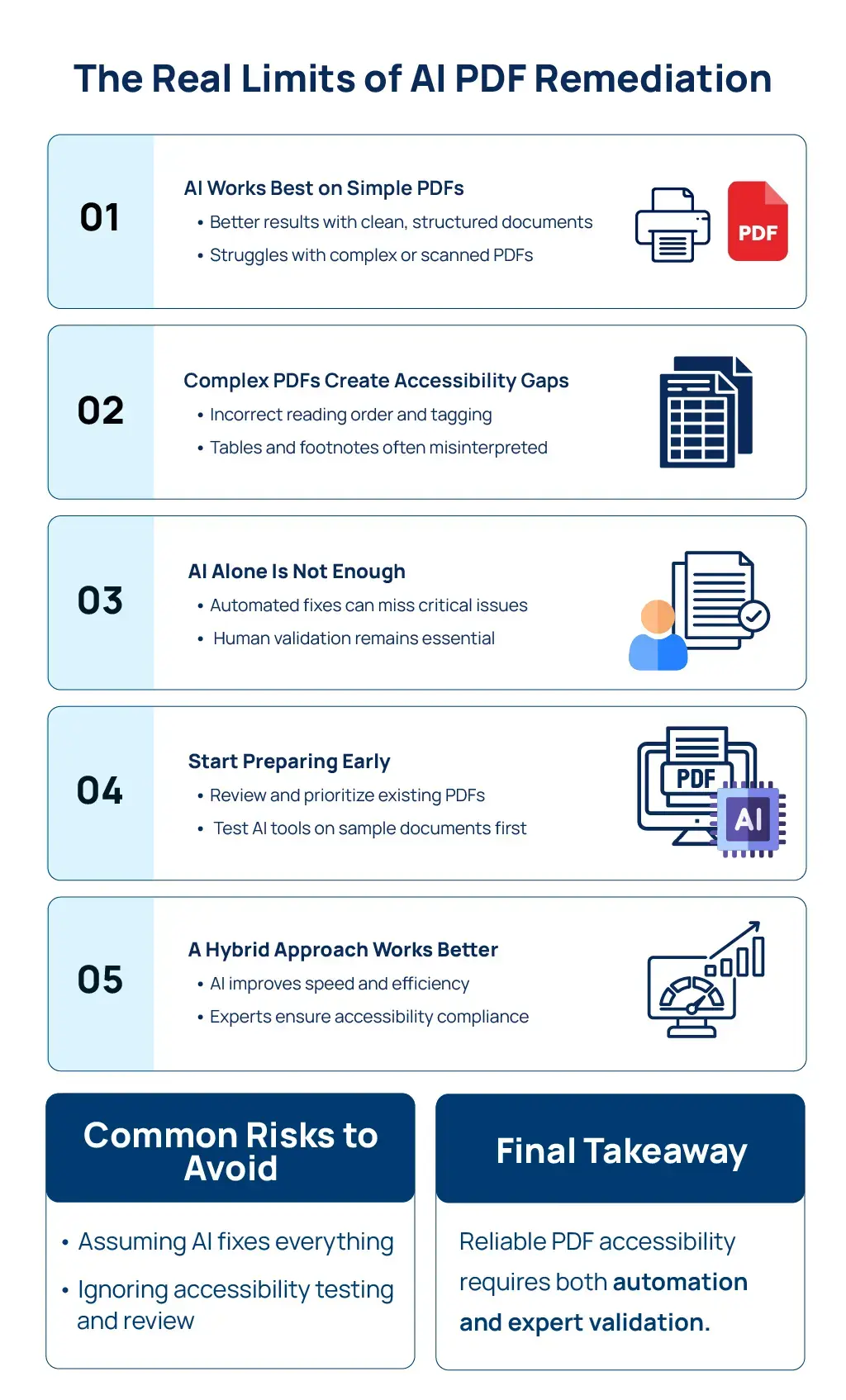
AI definitely helps when it comes to accessibility, but it cannot handle everything on its own. If no one checks the output, mistakes can slip in, and those are often the kind that only show up later when fixing them is much harder.
With the ADA Title II deadline in 2027 approaching, organizations cannot afford to rely on assumptions or partial fixes. Accessibility is not just about speed, it is about accuracy, structure, and consistency across every document.
A hybrid approach brings both efficiency and confidence. By combining automation with expert review, teams can ensure that every file meets the standards required for true compliance.
Apex CoVantage supports this approach with a combination of AI driven workflows and experienced specialists who validate every document. This makes AI PDF remediation more reliable and ensures long term PDF accessibility without unnecessary risk.
Learn more about our Document Accessibility & PDF Remediation services.
Do not wait for audits to expose gaps. Start your remediation journey now with Apex CoVantage and move forward with confidence.